



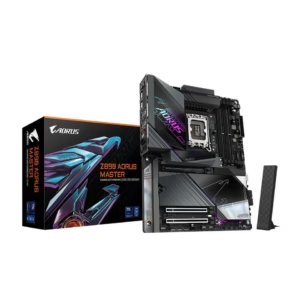
GIGABYTE Z890 AORUS MASTER Ultra Core (Series 2) LGA 1851, ATX, DDR5, 5x M.2, PCIe 5.0, Thunderbolt 4, WIFI7, 10GbE LAN, EZ-Latch
$299.99
$499.99
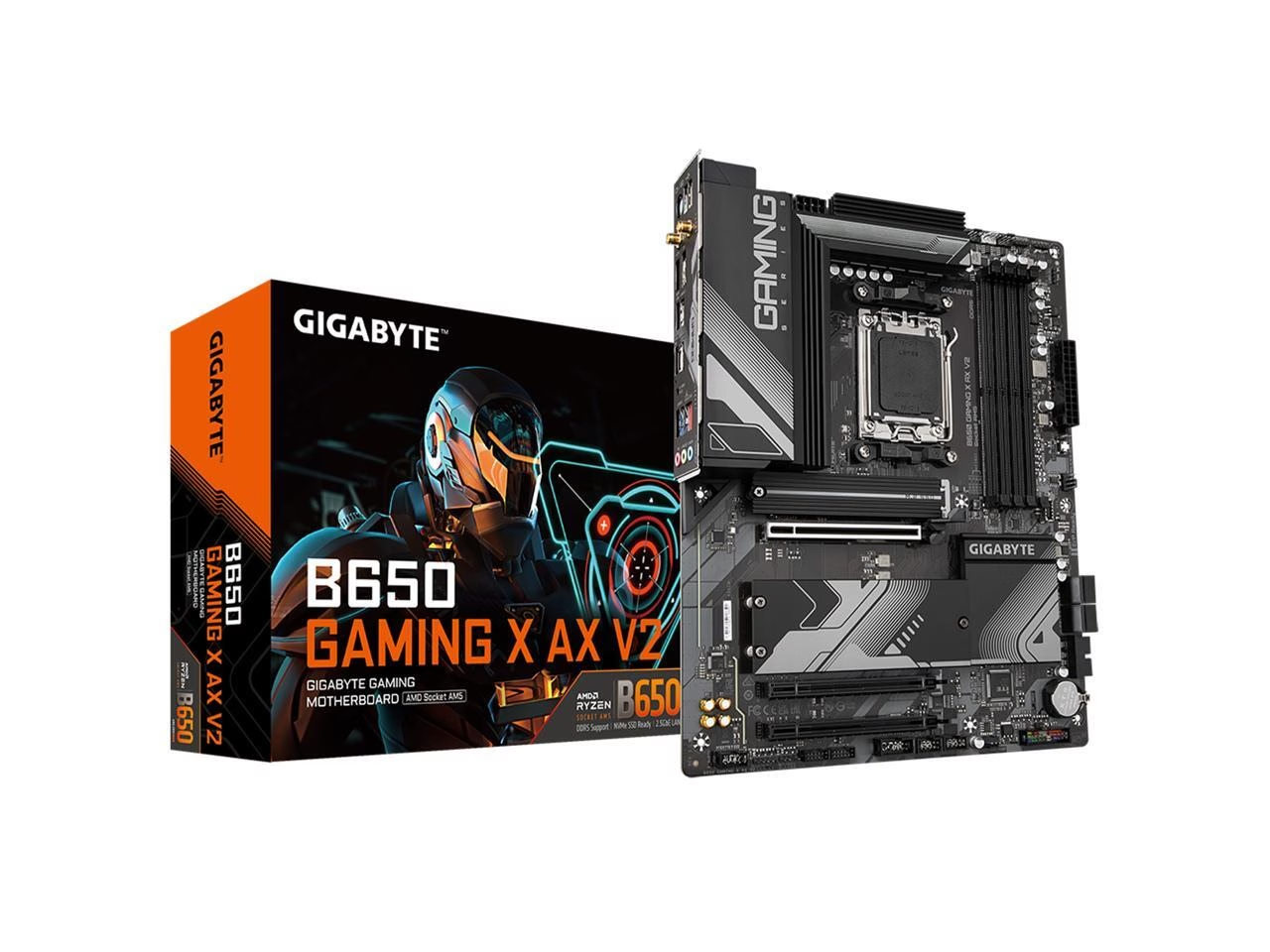
AMD AM5 Socket: Supports AMD Ryzen 7000 Series Processors DDR5 Compatible: 4xSMD DIMMs with AMD EXPO & Intel XMP Memory Module Support
$159.99
Orders are handed to the carrier within 1 business day.
Free Shipping (3–5 business days) · Priority Shipping $9.90 (1–2 business days).
You have 30 days from the day your order is delivered to return unused items in their original condition and packaging. We pay for return shipping: you receive a prepaid label and nothing is deducted from your refund.
Once we receive and inspect the return, the refund goes back to your original payment method within 3 business days. Banks and card issuers may take another 3–10 business days to post it.
Each product is covered by its brand manufacturer's warranty. The term, what is covered, and how to make a claim are set by that manufacturer.
Email [email protected]. We reply within one business day.
Support covers shipping, returns, and order tracking.
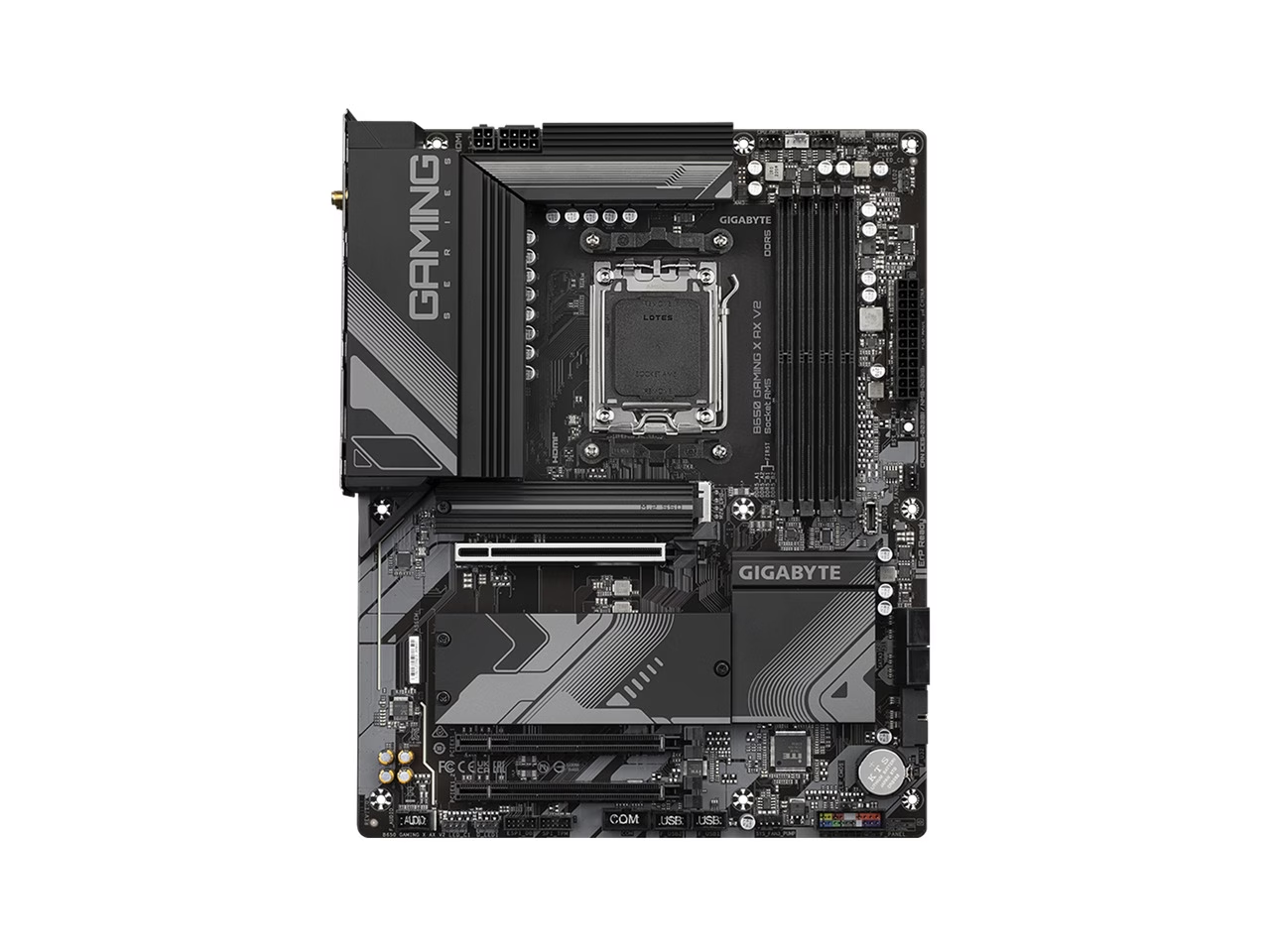
AMD Socket AM5:Supports AMD Ryzen™ 7000 Series Processors Unparalleled Performance:Direct 8+2+2 Phases Digital VRM Solution Dual Channel DDR5:4*SMD DIMMs with AMD EXPO™ & Intel® XMP Memory Module Support SuperSpeed Storage:1*PCIe 5.0 x4 + 2*PCIe 4.0 x4 M.2 Connectors Advanced Thermal Design & M.2 Thermal Guard:To Ensure VRM Power Stability & 25110 M.2 SSD Performance EZ-Latch:PCIe x16 Slot with Quick Release Design Fast Networks:2.5GbE LAN & Wi-Fi 6E 802.11ax Extended Connectivity:DP, HDMI, Rear
GIGABYTE Ultra Durable™ motherboards built with optimal components inside out provide the prime performance and timeless platform.
8+2+2 Phases Digital VRM Solution GIGABYTE UD series motherboards use a 8+2+2 phases digital PWM design to support AMD's new generation CPU by offering incredible precision in delivering power to the motherboard's most power-hungry and energy-sensitive components as well as delivering enhanced system performance and ultimate hardware scalability.
DDR5 EXPO & XMP Overclocking Up to 8000 and Beyond* GIGABYTE is offering a tested and proven platform that the memory overclocking capability is able up to 8000 and beyond. All users need to do for achieving this extreme memory performance boost is to ensure that their DDR5 memory modules are AMD EXPO™/ Intel® XMP capable, the EXPO/XMP function is activated and enabled on their GIGABYTE motherboard. * EXPO/XMP profiles support may vary depending on memory modules. * Please refer the completed va
Fully Covered MOSFET Heatsink 3X Large Surface Increased surface area up to 3X larger compared to traditional heatsinks. It improves heat dissipation from the MOSFETs. Real One-piece Build gle piece heatsink. Its one-piece design and larger surface drastically improve the cooling performance against competitors' multi-piece design.
The ultimate connectivity with blazing data-transfer speeds through the next generation network and storage.
The latest Wireless solution 802.11ax Wi-Fi 6E with new dedicated 6GHz band, enables gigabit wireless performance, provides smooth video streaming, better gaming experience, few dropped connections and speeds up to 2.4Gbps. Moreover, Bluetooth 5 provides 4X range over BT 4.2 and with faster transmission. * Photo for reference only.
Supercharge your gaming with 2.5GbE LAN Achieve lightning-fast speeds, minimal lag, and unbeatable performance to elevate your gaming setup and dominate the competition.
– Dedicated spectrum in 6GHz band for less interference. – 4X better network capacity, no traffic jams especially in those dense area with lots of devices – Network efficiency increase for better user experience
Wi-Fi 6E brings faster Wi-Fi speeds, lower latency, and better battery life for VR devices, which means streaming VR games wirelessly from your PC to your VR device offers a lot smoother and has higher quality video. Wi-Fi 6E compared to Wi-Fi 5 provide… 40% faster speed for smoother gaming/streaming experience 50% higher resolution for video game related content Better battery life for VR devices
Based on 8 reviews
GIGABYTE B650 GAMING X AX V2 AM5 LGA 1718 AMD B650 ATX DDR5, Triple M.2, PCIe 5.0, USB 3.2 Gen2x2 Type-C, AMD Wi-Fi 6E, Realtek 2.5GbE LAN
Best White B650 MB
I'm quite happy with it. I was looking for white motherboards for AM5 and this is the only choice except the GIGABYTE X670E Aorus Pro X. I wonder why other manufacturers still don't make white motherboards for AM5? Anyway, I had no issues with it.
Pros: + White, looking good, even BIOS UI and the Wi-Fi antenna is white. + PCI-e EZ-Latch + I had no issues with XMP/EXPO + Heatsinks + 3x A-RGB headers, 4x SYS_FAN headers, 1x CPU_FAN header, 1x CPU_OPT header + Lots of back panel USB ports
Cons: - Gigabyte Control Center software for controlling A-RGB is a buggy mess. I recommend SignalRGB instead.
GIGABYTE B650 GAMING X AX V2 AM5 LGA 1718 AMD B650 ATX DDR5, Triple M.2, PCIe 5.0, USB 3.2 Gen2x2 Type-C, AMD Wi-Fi 6E, Realtek 2.5GbE LAN
Probably better options
- Buy this at your discretion. As noted, I may have just had a string of bad luck - Newegg was wonderful throughout the process
Pros: - The spec list of this board seems like it hits all the correct price to features ratios - Feels like a solid board as it has some weight to it
Cons: I will preface this with I had a string of bad luck with a couple of these boards and it may not represent all other buyers. The low rating is due to the utter lack of useful support from gigabyte. After specifically writing out all of my steps to troubleshoot on the official support site, everything is just completely disregarded and you get copy and pasted help notes from a script. Here are my problems with the boards. Hopefully I save other people some time in the future: - First board couldn't update the bios through the q-flash tool. Bios just freezes when trying to use the q flash tool. Q flash plus tool feature seemed to work, however I wasn't able to install windows via usb for some reason. Multiple usb stick types were used along with creating a usb via windows media tool and rufu
GIGABYTE B650 GAMING X AX V2 AM5 LGA 1718 AMD B650 ATX DDR5, Triple M.2, PCIe 5.0, USB 3.2 Gen2x2 Type-C, AMD Wi-Fi 6E, Realtek 2.5GbE LAN
Perfect for a 7950X3D
This Mobo worked just fine with a 7950X3D. You just need to be aware that the first boot takes a scary long time before the monitor gets a signal (60 seconds or so). Also be sure to install the AMD chipset drivers. During driver installation, If you don't see the V-Cache Optimization driver as a choice to install you probably need to update your bios (mine came with F2 pre-loaded and I updated to F5 with no drama). After I loaded version F5 the AMD Chipset driver listed the V-Cache Optimization as an option. This is all with Win11. To determine if V-Cache is working correctly you need to open 'Resource Monitor' and press Windows+G. This will bring up the Xbox Game Bar. Click settings, and set it to remember this is a game. Close Resource Monitor and reopen it. Click on the CPU tab. You should see 16 cores as 'parked'. These WON'T be used for games. Open a game, make sure all the CPU usage is on the non-parked CPUs. (you can search youtube for a video example but there's not a lot of examples for this out there just yet)
Pros: * Worked out of the box with an AMD R9 7950X3D * Has 3 M2 slots, all with a heat sync cover. * The PCI Express slot has a cool tab to help remove the GPU
Cons: * BIOS needed an update to get the V-Cache Optimization driver to install * Motherboard takes almost a full minute to post on the first boot up, which I'm SURE causes lots of anxiety. * The Gigabyte control center doesn't work for some reason but I don't need it anyway, all the drivers are available for download. Get the AMD Chipset drivers from AMD as they are a little newer. * It's difficult to determine if V-Cache is working properly
GIGABYTE B650 GAMING X AX V2 AM5 LGA 1718 AMD B650 ATX DDR5, Triple M.2, PCIe 5.0, USB 3.2 Gen2x2 Type-C, AMD Wi-Fi 6E, Realtek 2.5GbE LAN
Really REALLY good ITX board
Can't recommend this board enough. Mini ITX builds can be a headache, but this one was super simple and had ZERO issues.
Pros: No issues what so ever. Really enjoyed the way this board configures the front io, fan headers, TWO usb headers, and the THREE m.2 slots. Seriously easy to build with and had no isses.
GIGABYTE B650 GAMING X AX V2 AM5 LGA 1718 AMD B650 ATX DDR5, Triple M.2, PCIe 5.0, USB 3.2 Gen2x2 Type-C, AMD Wi-Fi 6E, Realtek 2.5GbE LAN
Nice motherboard but defective ram slots *Updated*
- Returned for replacement. Other than the wait it was a very easy process. Replacement board worked without hassle. Though I'm now satisfied, it was irritating to have received a deflective board in the first place.
Pros: - Nice motherboard with decent features
Cons: *Update* - Replacement motherboard work flawlessly - Did not come with a manual or disk - M2 EZ snaps are simple and great but when you've never seen them before with no instructions how they work (not even the online manual), trying to figure out exactly how they work without breaking them was a pain. Push on the back and they pop open. - Dram B2 slot was defective preventing computer from booting when populated. A2 worked fine. - Gigibyte tech support non responsive to help requests - I expect more for the price
GIGABYTE B650 GAMING X AX V2 AM5 LGA 1718 AMD B650 ATX DDR5, Triple M.2, PCIe 5.0, USB 3.2 Gen2x2 Type-C, AMD Wi-Fi 6E, Realtek 2.5GbE LAN
Best option for the price currently, you will need to update the BIOS
Works amazingly, however you will likely need to update the bios before it works. I had a Ryzen 5 7600x and 32GB of DDR5, and it would not boot until I did. To update, you will need a FAT32 USB drive (some of them are fickle, older USB2 ones work better), download the latest BIOS from the manufacturer website, put it on the USB and rename to GIGABYTE.bin, insert the USB into the USB port labelled BIOS, and click the Q-FLASH PLUS button on the back of the motherboard with a small screwdriver. If it works properly it will turn on the computer and take several minutes to update. There is a blinking orange light above the button that will turn solid when done. Do not power off during this time.
GIGABYTE B650 GAMING X AX V2 AM5 LGA 1718 AMD B650 ATX DDR5, Triple M.2, PCIe 5.0, USB 3.2 Gen2x2 Type-C, AMD Wi-Fi 6E, Realtek 2.5GbE LAN
Very Versatile and More
So far so good. Just have to wait and see. Installation was easy and there were no issues. Some features of the X670 available in this B650 mobo.
Pros: - Bang for the Buck - It offers PCIE 5.0 even though its B650 - Lots of RGB Pins for Light Show.
Cons: - Typical bugs that come with the new platform. (Expected) - Waiting on Updates. (Expected)
GIGABYTE B650 GAMING X AX V2 AM5 LGA 1718 AMD B650 ATX DDR5, Triple M.2, PCIe 5.0, USB 3.2 Gen2x2 Type-C, AMD Wi-Fi 6E, Realtek 2.5GbE LAN
All you need unless you're going crazy
The AM5 motherboard lineup at launch includes a lot of crazy overkill. After reviewing info from experts on youtube, I dodged the extremely futureproofed X670 boards for the modest B650, which has no less functionality for current gen parts. This one floated to the top because of the ports and expansion capacity.
Pros: I think it's the best option for the new AM5 CPUs for most people. Installation was fine, there's plenty of fan ports, and the rear panel connectors are more than I'll ever use. The included heatsinks and tool-less mounting for my m.2 drive was another bonus. Also comes with gigabyte's custom g-connector- a jig to clip all those annoying front panel header pins together and insert/remove them as a unit.
Cons: The early adopter price might make you want to wait. Didn't include printed manual. Not necessarily a problem anymore, I just opened it on my phone. Due to the large heatsink and integrated i/o shield, there's no room for a fan header on the top left of the board, and I had to rotate my top rear fan to reach
Log in to write a review. Log in
$299.99
$499.99
$99.99
$227.99
$319.99
$149.98
$209.99
$173.99
$341.26
$103.99
$159.99
$89.19
$159.99