



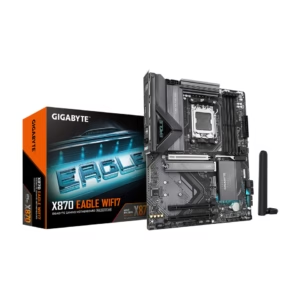
GIGABYTE X870 EAGLE WIFI7 AM5 LGA 1718, ATX, DDR5, 4 x SATA 6Gb/s, 3x M.2, PCIe 5.0, USB4, Wi-Fi 7, 2.5GbE LAN, EZ-Latch
$184.00
AMD Socket AM5: Supports AMD Ryzen 9000 / Ryzen 8000 / Ryzen 7000 Series Processors DDR5 Compatible: 4*DIMMs with AMD EXPO Support
$341.26
Orders are handed to the carrier within 1 business day.
Free Shipping (3–5 business days) · Priority Shipping $9.90 (1–2 business days).
You have 30 days from the day your order is delivered to return unused items in their original condition and packaging. We pay for return shipping: you receive a prepaid label and nothing is deducted from your refund.
Once we receive and inspect the return, the refund goes back to your original payment method within 3 business days. Banks and card issuers may take another 3–10 business days to post it.
Each product is covered by its brand manufacturer's warranty. The term, what is covered, and how to make a claim are set by that manufacturer.
Email [email protected]. We reply within one business day.
Support covers shipping, returns, and order tracking.
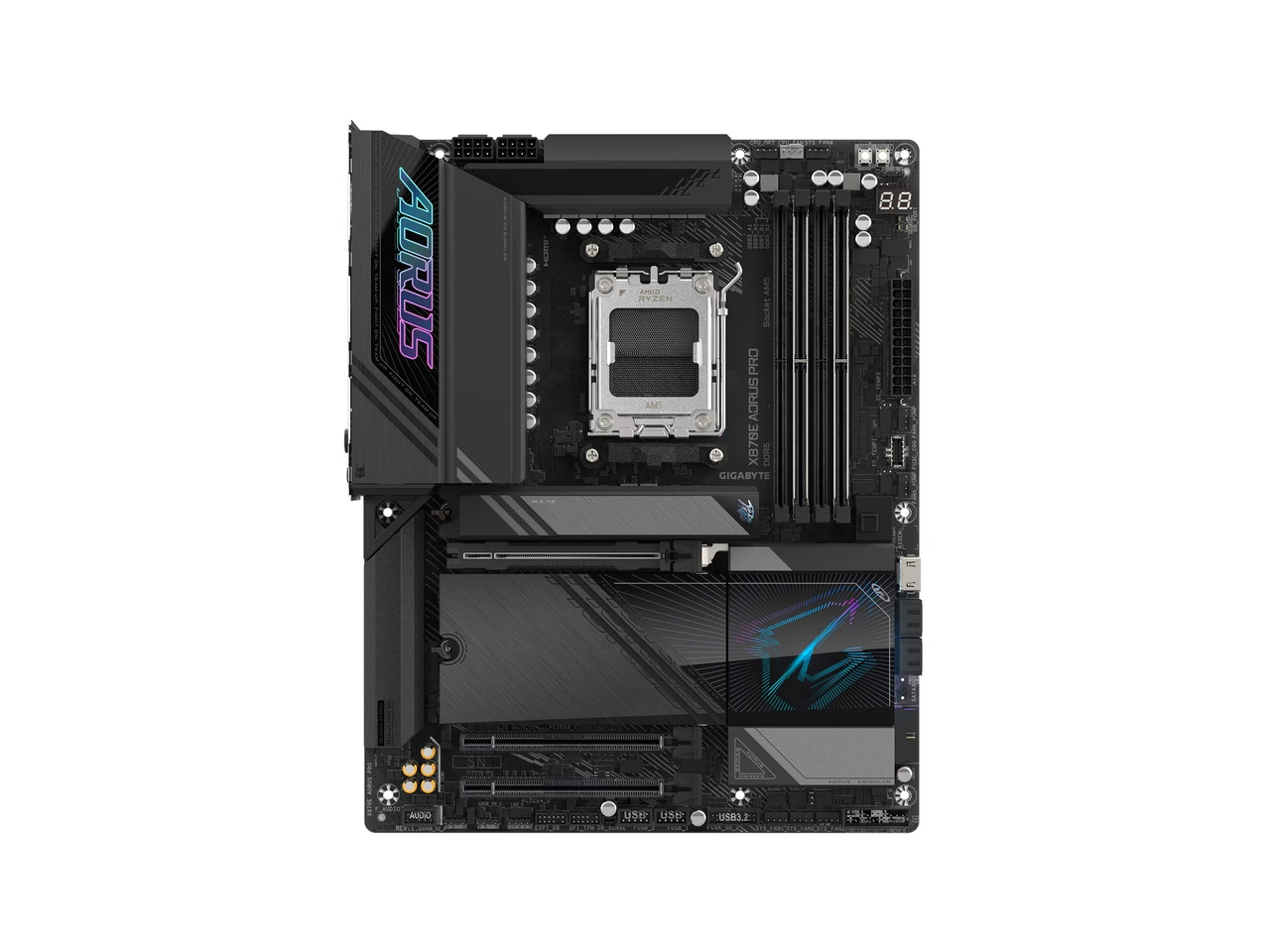
AMD Socket AM5:Supports AMD Ryzen™ 9000 / 8000 / 7000 Series Processors Digital twin 16+2+2 phases VRM solution Dual Channel DDR5:4*DIMMs with AMD EXPO™Memory Module Support WIFI EZ-Plug: Quick and easy design for Wi-Fi antenna installation EZ-Latch Plus:PCIe and M.2 slots with Quick Release & Screwless Design EZ-Latch Click:M.2 heatsinks with screwless design Sensor Panel Link:Onboard video port for hassle-free in-chassis panel setup Friendly UI: Multi-Theme, AIO Fan Control, and Q-Flash Auto S
Unleash Ultimate Performance with One-Click Activation.
With just a single click, unleash the full potential of DDR5 memory, instantly boosting your gaming and work efficiency.
Enhance DDR5 speeds with a single click.
Enhanced Computing Power Fast AI Performance EZ to Peak Safe OC Less Power Usage Enhanced Computing Power Fast AI Performance EZ to Peak Safe OC Less Power Usage
AORUS gaming motherboards boost DDR5 memory performance and offer top-notch compatibility using various advanced methods.
Based on 8 reviews
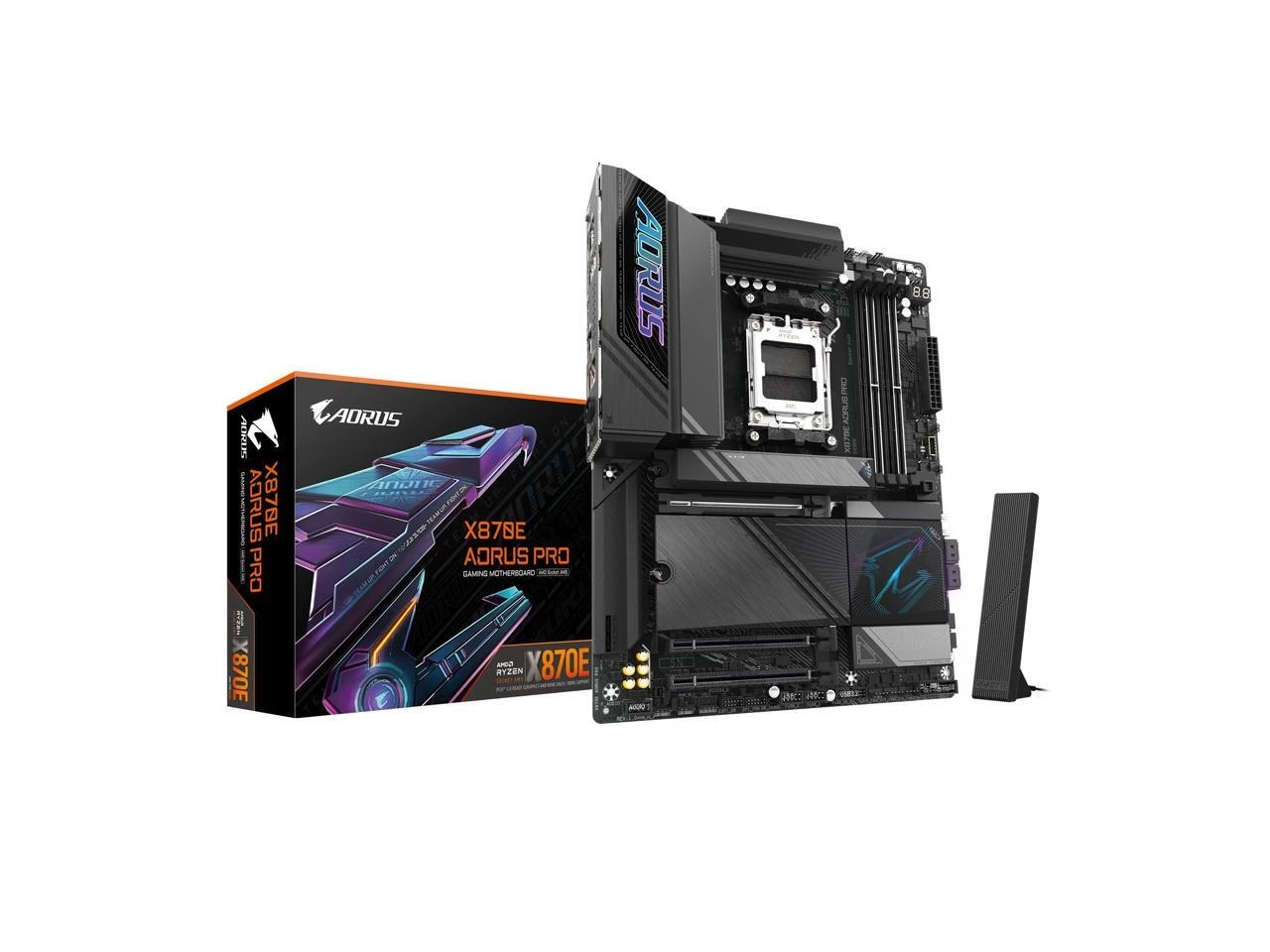
GIGABYTE X870E AORUS PRO AM5 LGA 1718, ATX, DDR5, 4x M.2, PCIe 5.0, USB4, Wi-Fi 7, 2.5GbE LAN, EZ-Latch
Awesome
I hate the way things are going with computer builds these days. Maybe I'm old school, but give me a motherboard that has the best chipsets without all these extra features adding to the price. I don't need RGB leds, but I paid for them and they don't operate. I don't need an onboard internal hdmi port, maybe someday ill make use of it. Who knows if that's even compatible with linux. They took out all my PCI slots and gave me all these m.2 slots. OK cool. It's a laptop part. They should be making PCI card SSDs for desktop computers. Heatsink fan and everything already on them. You should be able to buy a sound card, LAN card, wifi card, USB card, thunderbolt card, whatever you plan on using in your machine. When all the I/O is part of the board, you are stuck. You can't upgrade and if there's no driver for your OS, it's game over. The only time I appreciate all this onboard I/O and stuff is if it's a mini-ITX board. You need it all onboard. You need a laptop SSD and maybe even laptop RAM. The point of building your own computer is you can build it how you want. With a motherboard like this, you might as well go buy a prebuilt machine. Building you own computer these days doesn't mean you chose every single component. It means you put an LCD screen inside your case and so many RGB glowing water lines that your friends mistook it for an aquarium tank. I also hate that CPUs basically come overclocked right out of the box and pretty much require a water cooler by default now.
Pros: Runs like an absolute champion. I got better than average benchmark scores for my CPU, RAM, and GPU on this board. Maybe I won the silicon lottery, or maybe this board is just awesome.
Cons: I took off an egg because of linux support. I know that linux is not very popular for a desktop operating system. But these days, steam can run almost any windows game on linux. There is no gigabyte control center for ubuntu 25.10. There probably never will be. You can't control the RGB leds, the fan speeds, or read the temperatures from within the operating system. That being said, the newest kernel 6.17 supports everything else on this board including the wifi and sound. You can set the little LED thing on the board to show the CPU temp in the BIOS, which is really nice. The bios interface is hard to use and it comes up in a really low resolution on my 4K TV. I read a review that said this board is trash becuase it only has six PCB layers. I honestly don't think I could tell you the diff
GIGABYTE X870E AORUS PRO AM5 LGA 1718, ATX, DDR5, 4x M.2, PCIe 5.0, USB4, Wi-Fi 7, 2.5GbE LAN, EZ-Latch
Good for the price, despite some compromises
Good choice for modern builds with some future proofing (PCI-E x16 gen 5, USB 4) -- as long as you aren't planning on using more than 2 M.2 slots. If you are, it might be worth paying a little more for a unit where the slot layout is better considered.
Pros: + Reasonable complement of ports on rear IO, plus support for cases which feature a lot of front panel IO and the full suite of modern RGB options. + Excellent VRM and power delivery - my system (9800X3D, 4xM2, RTX 3090) runs as cool as it did before with comparable or lower fan speeds for most fans (case and radiator.) + M.2 "shield"/cooling block does a great job protecting the SSD and GPUs from one another's heat dispersion
Cons: - Case fan headers in some slightly awkward locations for anyone not using a fan controller and looking to use rear case fans - High speed M.2 lanes share bandwidth with the GPU. Having 4 SSD slots is lovely and all, but you can only use the two lower speed slots without potentially kneecapping GPU throughput.
GIGABYTE X870E AORUS PRO AM5 LGA 1718, ATX, DDR5, 4x M.2, PCIe 5.0, USB4, Wi-Fi 7, 2.5GbE LAN, EZ-Latch
Good 9800X3D motherboard
So far stable and reliable motherboard. I'd recommend it as an alternative to the Aorus X870E Elite if you want the few extra features, or you see this model on sale.
Pros: -Easy to use BIOS interface -Easy component installation -Flashed BIOS before CPU installation using the Gigabyte Q flash USB slot
Cons: -Unable to use more than 2 NVME SSD slots without taking 8 lanes from GPU PCIe slot. Only slot M2A and slot M2D can be used without taking PCI lanes from GPU slot. You can use a PCIe expansion card for an additional NVME drive. Realistically you're only losing a 2-3% performance on the lanes you lose out on.
GIGABYTE X870E AORUS PRO AM5 LGA 1718, ATX, DDR5, 4x M.2, PCIe 5.0, USB4, Wi-Fi 7, 2.5GbE LAN, EZ-Latch
Great motherboard
Overall this has been a really solid motherboard with no issues after a few months of use. It would be worth the price on its own, but with the free RAM it's an excellent value.
Pros: - Feels very durable and well built - Well designed with clearly labeled connectors and slots - "EZ" switches make installing components simple and stress free - The Qualcomm wireless card on the Pro is excellent, easily the strongest built-in Bluetooth I've used so far - The motherboard worked out of the box with my 9900X. No boot issues and no need to update the BIOS. EXPO also worked as expected. - Built-in heat shields and pads for the NVME drives. My SSD never gets above 51C even though it's right under the graphics card. - High quality heat shields for the VRMs and motherboard controller - Supports PCIE5
Cons: - The NVME slots are located under the graphics card which makes adding a new drive annoying. You'll need to remove the graphics card first. - The gigabyte software includes Norton in the updates screen, so make sure you don't unintentionally install it.
GIGABYTE X870E AORUS PRO AM5 LGA 1718, ATX, DDR5, 4x M.2, PCIe 5.0, USB4, Wi-Fi 7, 2.5GbE LAN, EZ-Latch
Great X870 Motherboard with a great price
The X870 Aorus Elite Wifi7 is the 2nd X870 motherbaord I have purchased and I bought it after returning an ASUS X870E-E. I typically go back and forth between Aorus and ASUS boards but I was really not happy with the ASUS board this time and I ran into all kids of issues with it. I decided to give Aorus a try and I have to say that I am very impressed with this board especially for the price. I am running a Ryzen 9800X3D with a 4070 Super and could not be happier with this board.
Pros: - quick release latches for M.2 and GPU - system boot time noticeably faster than ASUS board - debug LED - easy connect wifi7
Cons: NONE!
GIGABYTE X870E AORUS PRO AM5 LGA 1718, ATX, DDR5, 4x M.2, PCIe 5.0, USB4, Wi-Fi 7, 2.5GbE LAN, EZ-Latch
Great motherboard! Able to fix all 8 case fans with adapters.
Over all I would say this is a solid board with a ton of features. 3 m.2 ports and a reinforced pci slot are good points for me.
Pros: Working well with a Ryzen 7 9800X3D. Highly recommending!
GIGABYTE X870E AORUS PRO AM5 LGA 1718, ATX, DDR5, 4x M.2, PCIe 5.0, USB4, Wi-Fi 7, 2.5GbE LAN, EZ-Latch
Pretty solid motherboard
This is a pretty solid motherboard to build with. My only complaint is that putting the motherboard into fast boot mode completely disables using Del or F12 to open BIOS settings and boot menus, respectively.
GIGABYTE X870E AORUS PRO AM5 LGA 1718, ATX, DDR5, 4x M.2, PCIe 5.0, USB4, Wi-Fi 7, 2.5GbE LAN, EZ-Latch
Excellent am5 motherboard
Would recommend to others
Pros: Plug and play without any issues Works great with 9900X 4 M.2 slots
Cons: The first boot takes longer than subsequent ones.
Log in to write a review. Log in
$184.00
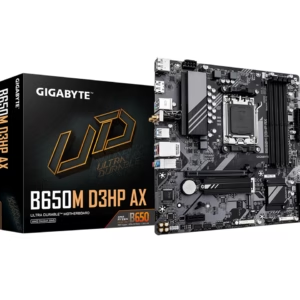
$117.48
$164.99
$239.49
$354.99
$220.99
$289.99
$69.98
$99.99
$399.92
$204.49
$254.99
$149.98
$209.99